How to Purchase Spare Rooms

The Spare Rooms feature is available in three different packages, allowing you to list additional rooms quickly and easily.
- Log in to your Agent Portal and click on your profile icon (top right) and select “Spare rooms” from the dropdown menu.
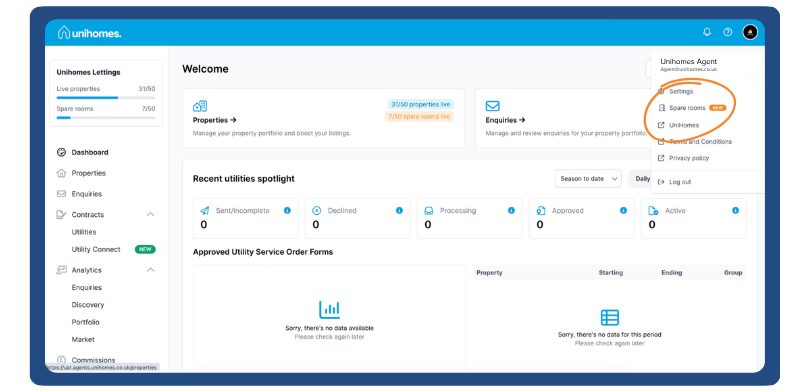
Once inside, you’ll land on the Spare Rooms feature page, where you can select the package that best fits your requirements.
These options are:
Essential – 1 spare room
Premium – up to 10 spare rooms
Professional – up to 20 spare rooms
If you require more than 20 rooms, please contact your dedicated Client Growth Manager for more information.
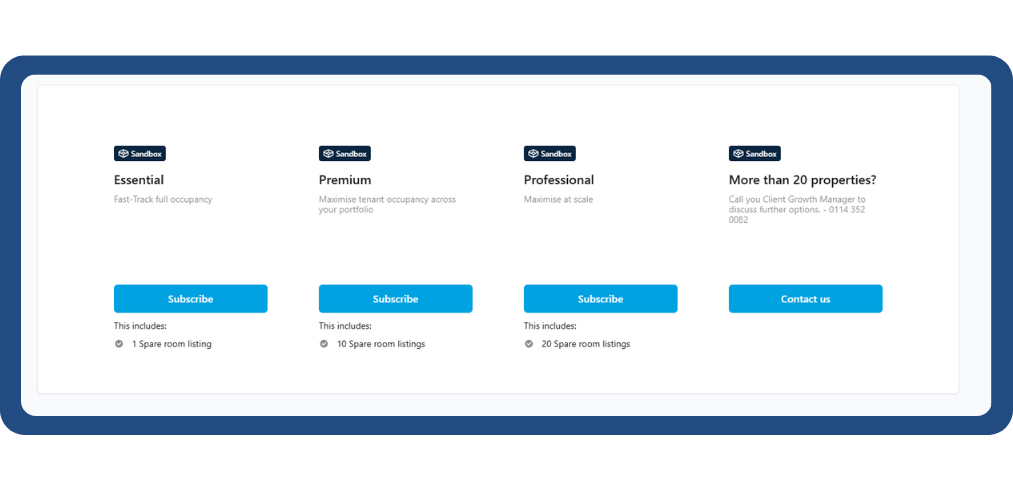
The functionality is currently available with introductory pricing, with payments being made monthly, with a 3-month minimum term.
- Click “Subscribe” under your chosen plan, you’ll be taken to our secure checkout where you can complete your order.
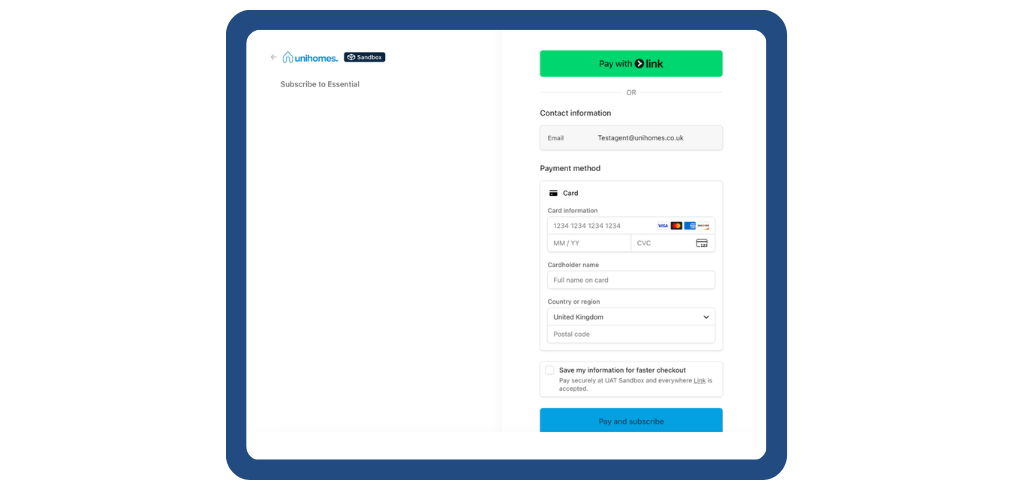
Your Spare Rooms will be available instantly after purchase, and you can easily track your usage from the dashboard sidebar.
From there, you’re ready to start adding spare rooms to your listings straight away.
